Allowing remote MySQL access in Scout

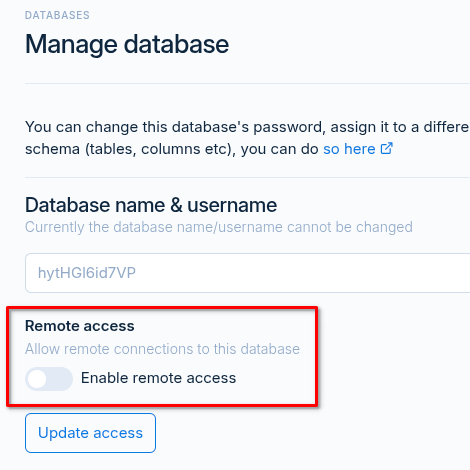
If you need to allow remote connections to a MySQL database that’s based on one of your Scout Control Panel servers, simply follow these steps:
Enabling remote access on the database
- Login to Scout
- Navigate to Databases
- Edit the database you want to provide access too
- Toggle the Remote access option
- Click Update access to apply the changes
Allow access to MySQL through the firewall
You will then also need to either open port 3306, or allow the remote IPs through in the server’s firewall settings.
- Navigate to Servers
- Open the server’s Settings
- Select the Firewall tab
- Allow the remote / connecting IP address(es) under Allowed IPs
- Alternatively, open port 3306