Updating WHOIS Information

When you register a domain some contact information get’s associated with it such as your name/your company name, email address and phone number etc.
This information is primarily used for verification by domain registrars and is typically hidden from public view. But there may come a time where you need to update this information, for example if your email address changes or your companies office changes address etc, so how do you change it?
1. Login to your Customer Portal, then navigate to Domains/My Domains.
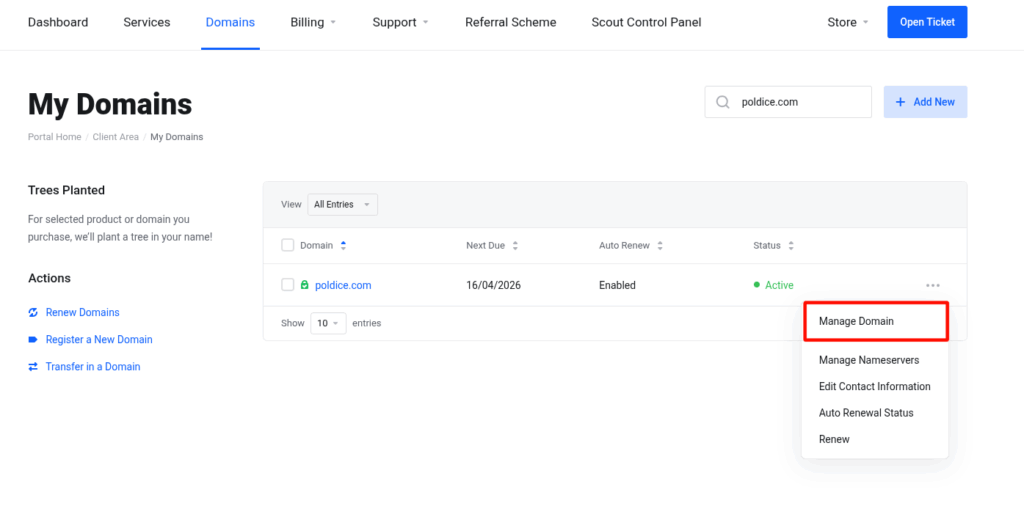
2. Search for your domain, then click the drop down to the right of your domain and select Manage Domain.
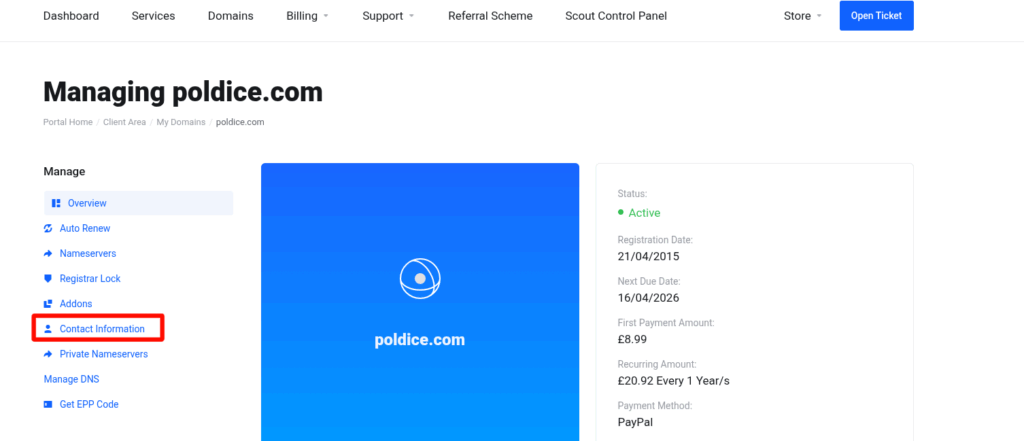
3. Click on Contact Information.
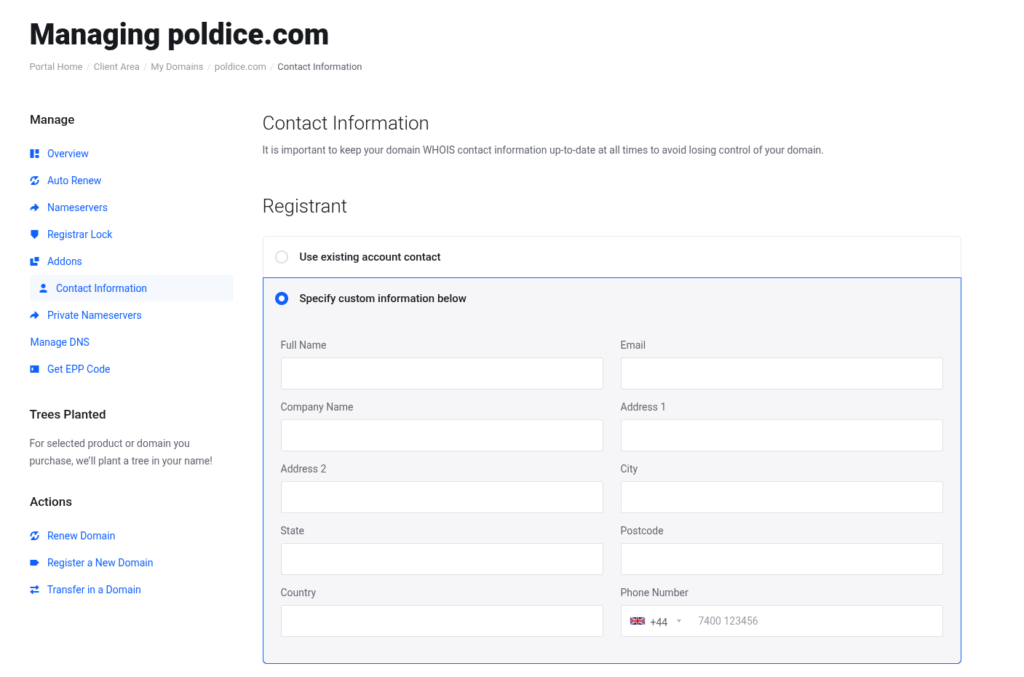
4. You can now fill out your information and click Save Changes at the bottom of the page.
That’s it, you’ve now updated your WHOIS Information for your domain.
If you are running into any issues or have any further questions or concerns, please don’t hesitate to get in touch.