Next.js “Module not found” when running a Next.js build in cPanel

Description
When running npm run build, or next build, npm returns the error “Module not found”.
npm ci or npm install shows that all dependencies or modules are installed.
Cause
Path issue
cPanel’s virtual environment causes issue with TypeScript’s path aliases, which can prevent npm build from discovering the location of the node_modules directory.
Environment issue
The virtual environment is not referencing the correct node_modules directory due to a directory or symlink change, or you’re not currently in the virtual environment.
Solution
Improve path resolution support
Update your next.config.mjs configuration file to contain the following:
import path from 'path'

/** @type {import('next').NextConfig} */
const nextConfig = {
  webpack: (config) => {
    // Ensure @ resolves to the project root
    config.resolve.alias['@'] = path.resolve('./')
    return config
  },
}

export default nextConfigEnsure you’re in the virtual environment
- Close your existing SSH or Terminal session and reconnect.
- Navigate to Setup Node.js App in cPanel, click the Edit pencil besides the app and run the command shown in:
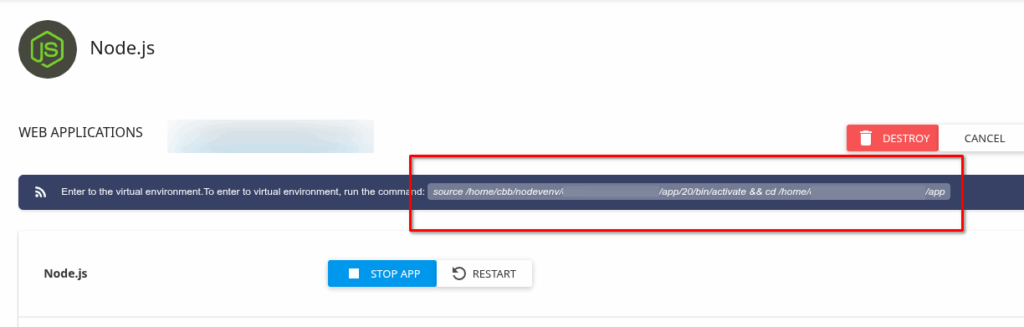
- Reattempt
npm build