Add a file to your website

Sometimes you may need to add a document to your website. This is where the File Manager in cPanel can help with managing/editing and uploading files.
1. Login to your cPanel account. When you first set up an account with us, you would have received an email with the details on how you can gain access to your control panel. If you have lost those details, feel free to raise a support ticket, visit our website for live chat, or call in.
2. Navigate to the File Manager.

3. Navigate to the directory that contains your website files, either on the left hand side tree or in the center of the screen like so:

In our case, the main website lives in the “public_html” folder, please enter into this folder to see your files and upload any new ones you have.
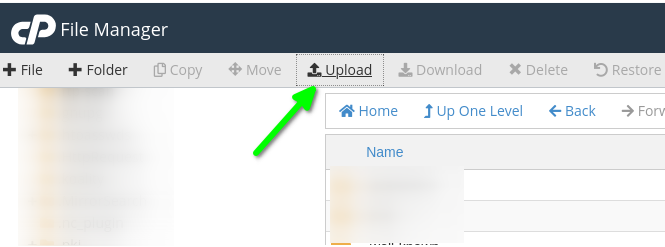
4. Click “Upload” as shown int he screenshot below:
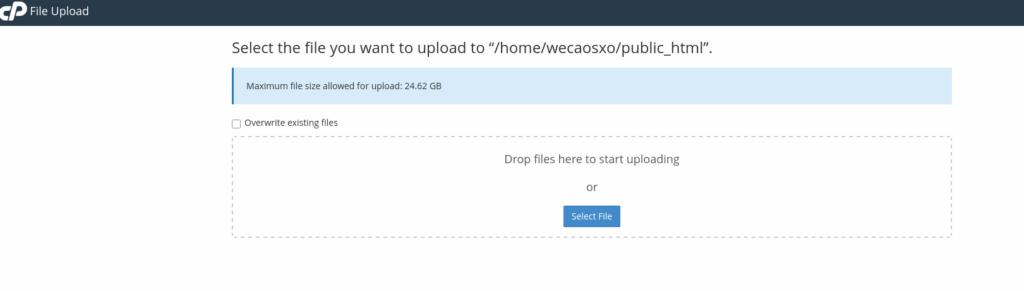
5. Drag your file into the square box, or click “Select File” to find the document and upload from there:
If you are running into any issues or have any further questions or concerns, please don’t hesitate to get in touch.