How to reset your cPanel account password

If you’ve lost your cPanel username or password, it can be easily changed through your cloudabove customer account.
Resetting your cPanel password
- Login to your cloudabove customer account at my.cloudabove.com
- Navigate to Services at the top menu
- Select the service you need to manage
- Click Change Password under the Actions section on the left-hand side
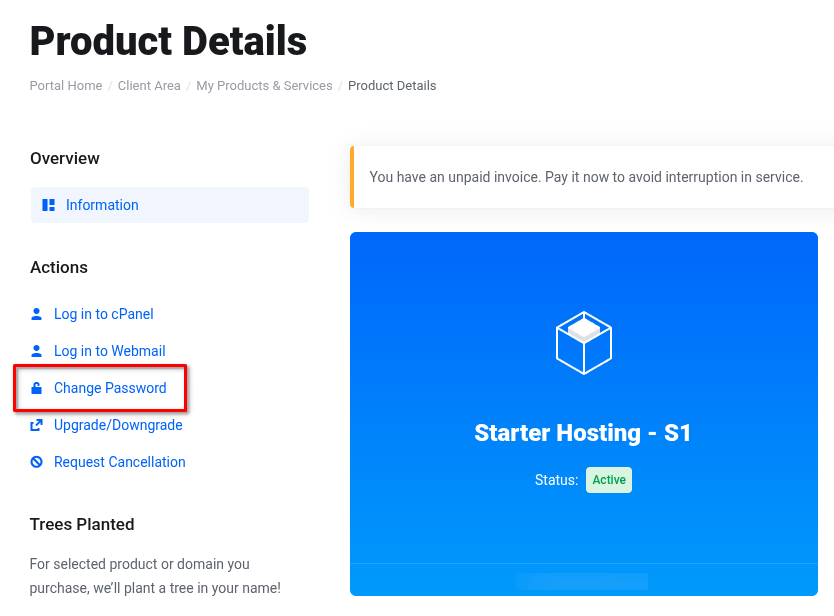
- Enter your new password and click Save Changes
You can now login to cPanel, either via the Log in to cPanel link on the left-hand side (under Actions), or directly.